
A shorter battery runtime immediately after a software update does not, by itself, establish that the battery needs replacing. For repair shops, the useful starting point is a timeline: when was the update installed, when did the complaint begin, and does battery usage still look unusual after ordinary use? This Longhehui (隆和汇) guide provides a record-based approach before a replacement battery enquiry.
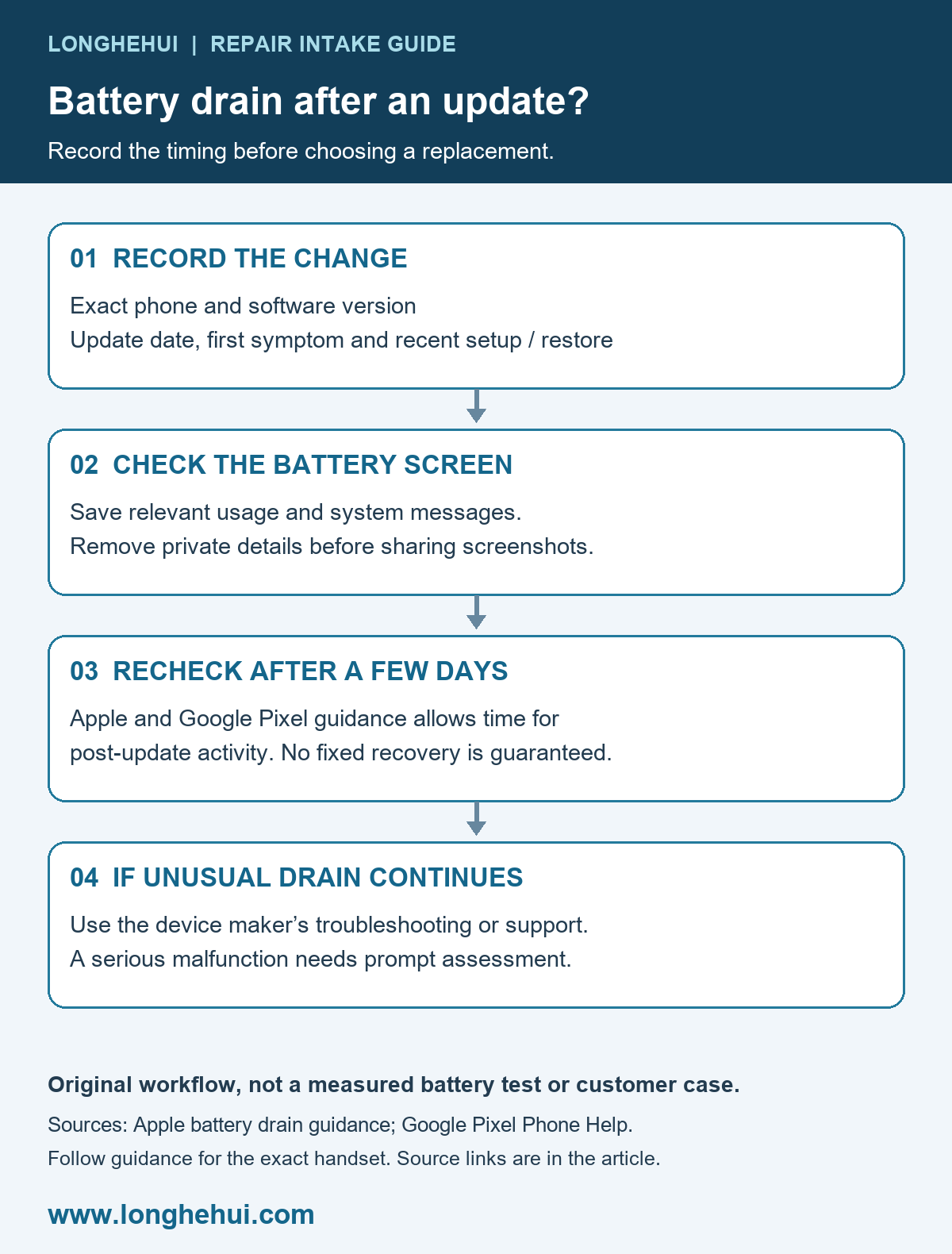
Why battery use may change after an update
Apple explains that update-related tasks can continue in the background after an iPhone or iPad becomes usable. These tasks may affect battery life and thermal performance. Its guidance recommends waiting a few days and checking again when battery life decreases after an update. In Settings > Battery, an Ongoing iOS Update insight may appear while the work continues. See Apple’s battery drain guidance.
Google similarly explains that a Pixel can use more battery after an update while downloading and optimising software. Google advises contacting support if unusual drain continues after a few days. This is Pixel guidance, rather than a guarantee for every Android device. See Google’s Pixel troubleshooting guidance.
Record the update before changing the hardware
Write down the exact handset, operating-system version, update date and the first time the symptom was noticed. Ask whether the phone was also restored, newly set up or used differently. A complaint that begins after an update establishes timing; it does not prove that the update damaged the battery.
| Record | Why it helps the assessment |
|---|---|
| Update date and software version | Separates a recent change from a long-standing runtime complaint. |
| Battery usage screen and any system insight | Shows what the handset reports; preserve the exact wording. |
| Starting charge, observation period and ordinary task | Gives the next observation a meaningful comparison. |
| Signal, brightness and charging periods | Documents changes that could otherwise confuse the comparison. |
| Behaviour after a few days | Helps distinguish a settling pattern from a persistent complaint. |
Compare like with like
Keep the follow-up practical: compare broadly similar tasks and note meaningful changes in screen use, mobile signal and app activity. Avoid promising a universal recovery time, a specific battery percentage or a fixed number of extra hours. Neither cited source provides a guaranteed result for every handset.
For a customer record, ask for the relevant battery screen rather than unrestricted access to personal files. Remove account details and private notifications from screenshots before sharing them with a supplier. Do not treat a percentage shown beside an app as an independent laboratory measurement of battery capacity.
When the complaint continues
If the unusual drain persists after the manufacturer’s suggested observation period, use the device maker’s troubleshooting or support route. Record repeated shutdowns, charging warnings and other symptoms separately. A repair assessment can then consider software, device behaviour and the battery instead of assuming that ordering a new part will resolve the complaint.
Illustrative workflow: a repair shop records a recent update and the customer’s usage screenshots, then compares a later observation before quoting a replacement. This is a suggested intake process, not a measured Longhehui repair case. A serious malfunction should be assessed promptly rather than dismissed as routine update activity.
Prepare a clear battery enquiry if replacement is indicated
After an assessment identifies a replacement need, send the exact handset version, battery code where verified, label and connector references, quantity and destination. Do not assume that a similar phone name or connector establishes compatibility.
Browse the Longhehui battery catalogue at www.longhehui.com. Repair shops and wholesale buyers can use our battery enquiry checklist and contact Longhehui for a specification and quotation review. Confirm the supplied part and order terms in the quotation; this article makes no stock or compatibility promise.
Manufacturer guidance checked 8 November 2026. This guide concerns the timing of drain after an update, rather than overnight drain, storage or a laboratory capacity test.
